@ Is to Tutti What / Is to Claude Code
If you’ve used Claude Code, you know /. Type / and every capability is at your fingertips: run commands, search files, manage tasks, invoke tools. One symbol wakes everything up.
In Tutti · VM, that symbol is @.
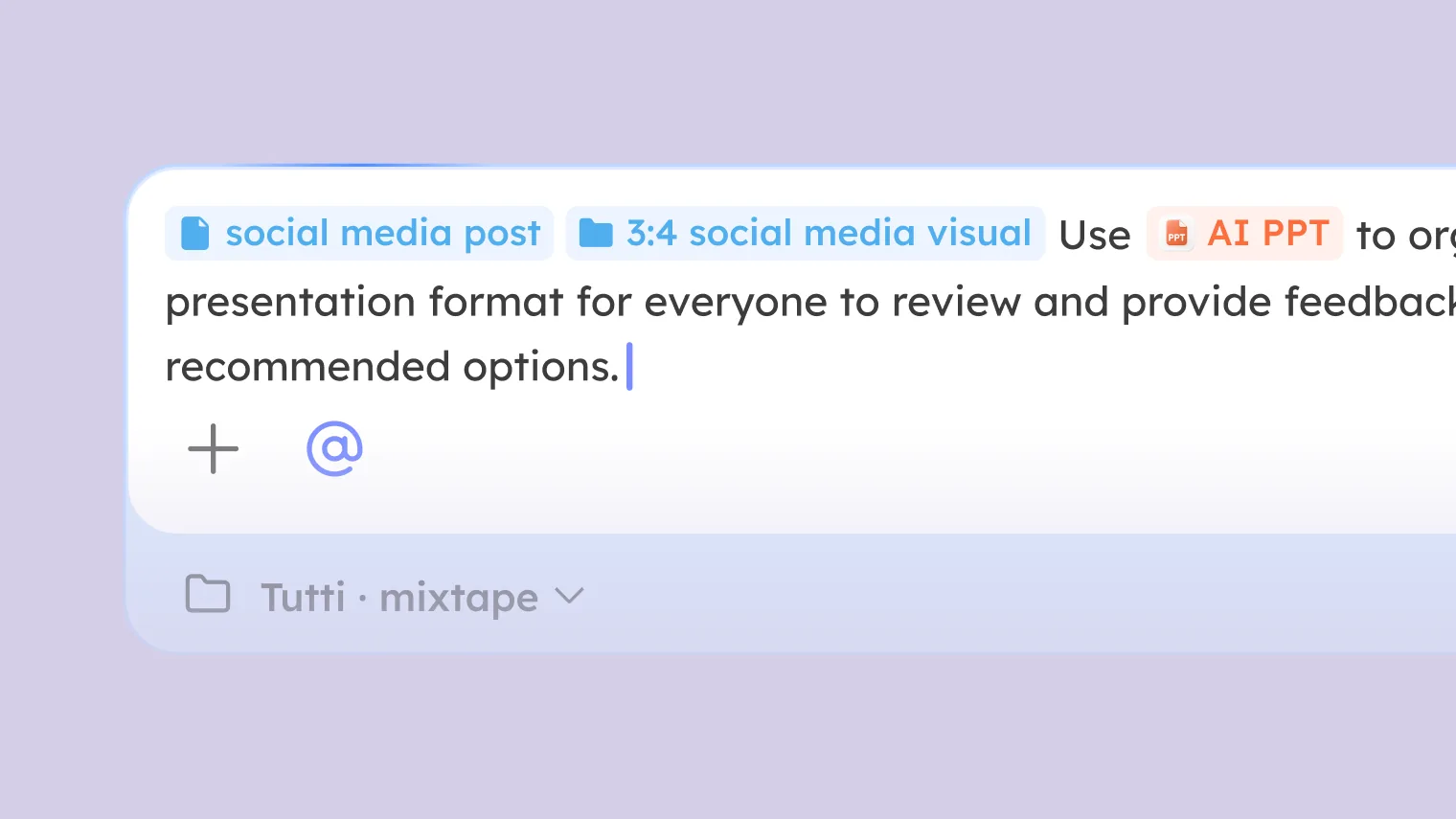
Type @ and everything in the Room is instantly at hand: every referenceable context, every callable Agent and app. No switching windows, no copy-paste, no re-explaining the background. One symbol, everything awake.
In Slack, Lark, or Notion, @ usually means “come look at this.” You @ someone to pull their attention to a message, essentially a notification.
In Tutti · VM, @ means “continue from here.”
It isn’t just a notification. It’s deep referencing around work context, plus calling Agents and apps. You @ a conversation and the Agent doesn’t just take a look, it gets the full context and keeps going. You @ an app and the Agent invokes it to finish the task.
The core value comes down to one thing: killing re-briefing.
Every time you switch Agents, change tasks, or bring someone in, the biggest time sink usually isn’t the Agent thinking, it’s you re-explaining the background: “here’s what Claude did, which files it changed, what approach it used, where things stand now.” That’s re-briefing, and it happens every single time.
In Tutti · VM, you just type @, wake up what already exists, and continue.
The Three Layers of @
@ isn’t a one-dimensional operation. By how far the referencing and calling reach, it works in three layers, each solving a different problem.
Layer 1: @ Within a Single Agent
While working with one Agent, typing @ lets you reference that Agent’s earlier conversation, a file, a task, or an app output.
Say you had Claude Code build a login page and, halfway through, you want to change direction. You don’t re-describe what was done, you just @ the earlier conversation in the chat and say “revise from this version,” and it knows exactly which version you mean.
This layer solves context continuity within one Agent: no re-establishing the background every time you open a new conversation.
Layer 2: @ Across Your Own Agents
You have several Agents working in the same Room, and one Agent’s work can be @-referenced into another to continue.
You worked through a front-end approach with Claude Code; the conversation history and file changes are all in the Room. Switch to Codex’s chat, type @, reference Claude Code’s conversation, and Codex has the full context to carry the page development forward.
Or: you generated an image in AI Canvas. Switch to Claude Code’s chat, @ that image, and ask it to update the page around it.
This layer solves context transfer between your own Agents: you don’t have to be the translator shuttling information from one to another.
Layer 3: @ Across Other People’s Agents
When several people bring their own Agents into one Room, @ reaches further. A collaborator’s conversation with their Agent, the group-chat context, each other’s files, tasks, and app outputs, even an Agent a collaborator has lent you, can all be referenced or called through @.
You see a strong approach from a colleague’s Agent; in your own Agent’s chat you @ their work, and your Agent continues right on top of it. A colleague’s Claude Code that they’ve lent you? You @ and call it, exactly like using your own.
This layer solves the friction between people: no asking “where are you at?” or “what approach did you take?”, you just @ it and you know.
What You Can @
@ reaches six kinds of things in the Room, in two behaviors: reference (point at existing context) and call (activate an Agent or app to run).
| What you can @ | Behavior | What it does |
|---|---|---|
| Agent conversation history | Reference | Your conversations with an Agent, someone else’s conversations, group-chat records. The Agent gets the full discussion and continues from it. |
| Files | Reference | Code files, documents, and configs in the Room. The Agent reads the file directly and works from it. |
| App outputs | Reference | Images from AI Canvas, decks from AI PPT, documents from AI Doc, design files from prototype design. Outputs stay in the Room and can be referenced again and again. |
| Apps | Call | @ an app like AI Canvas, AI PPT, or AI Doc, and the Agent invokes it directly; the result stays in the Room. |
| Agents | Call | @ another Agent in the Room (including one someone has lent you) to run a subtask or take over the work. |
Simple rule: reference points at “what already exists,” call kicks off “what needs to run.”
Scenarios
Agent handoff. You built a front-end version with Claude Code and want Codex to refine it. In Codex’s chat, @ Claude Code’s conversation. Codex has the dialogue history, the changed files, and the current preview, and continues, with no copy-paste.
Referencing a group discussion. You and colleagues hashed out a requirement in group chat. Switch to an Agent chat, @ that group chat, and the Agent breaks down the tasks, writes the PRD, and produces design files from your discussion, no “summarize the background” step between talking and doing.
Linking outputs across apps. You had Codex call AI Canvas to generate an image. Switch to Claude Code’s chat, @ that image, and Claude Code adjusts the page layout around it.
Referencing someone else’s Agent work. You spot a good approach from a colleague’s Agent in the Room. In your Agent’s chat, @ their Agent’s work; your Agent gets the whole execution and its outputs and continues from there.
Calling an app. You’d rather not switch to AI PPT by hand to make a deck. In the Agent chat, @ AI PPT and tell your Agent “make a deck from this document.” The Agent invokes the app, the result lands in the Room, and it can be @-referenced later.
Calling someone else’s Agent. Your Codex hit its hourly limit, and a colleague has lent you their Claude Code in the Room. In your chat, @ their Claude Code and call it to keep going. Because the Room holds your full work context, the borrowed Agent picks up seamlessly.
@ vs. the Old Way
| The old way | The @ in Tutti · VM |
|---|---|
| Copy conversation text by hand into another Agent | @ the conversation; the Agent gets the full context |
| Screenshot and send it to a colleague | @ the output; they can act on it directly |
| Summarize the group chat, then send it to the Agent | @ the group chat; the Agent works from the discussion |
| Switch apps and operate them by hand | @ the app; the Agent does it automatically |
| Describe someone else’s work to hand it off | @ their Agent’s work; pick up directly |
| Ask a colleague “where are you at?” | @ their Agent’s task and see for yourself |
The core difference: the old way makes you the translator, moving information between Agents. With @, you connect straight to the source and the Agent reads it itself.
In Short
@ is to Tutti · VM what / is to Claude Code: one symbol that wakes up every context, every Agent, and every app in the Room.
Three layers of reach: continuity within one Agent, seamless transfer across your own Agents, deep collaboration across other people’s. Six kinds of objects: conversations, files, app outputs, tasks, apps, Agents, referenced or called, all with a single @.
No summarizing the background, no copy-paste, no screenshot-and-describe, no switching apps by hand. Type @, wake everything up, and continue.