


Over the past two years, more and more people have started working with two or more Agents at the same time.
Have Claude generate a plan, then pass it to Codex to continue the work. Let Claude start the task, let Codex critique it and make edits, then bring it back to Claude for another review. After a few rounds, the work gets done. But you start to notice that most of the effort goes into re-explaining the same thing between two chat windows.
We seem to have accepted a default assumption: switching Agents means reintroducing the full context from the beginning. But this friction was never necessary.
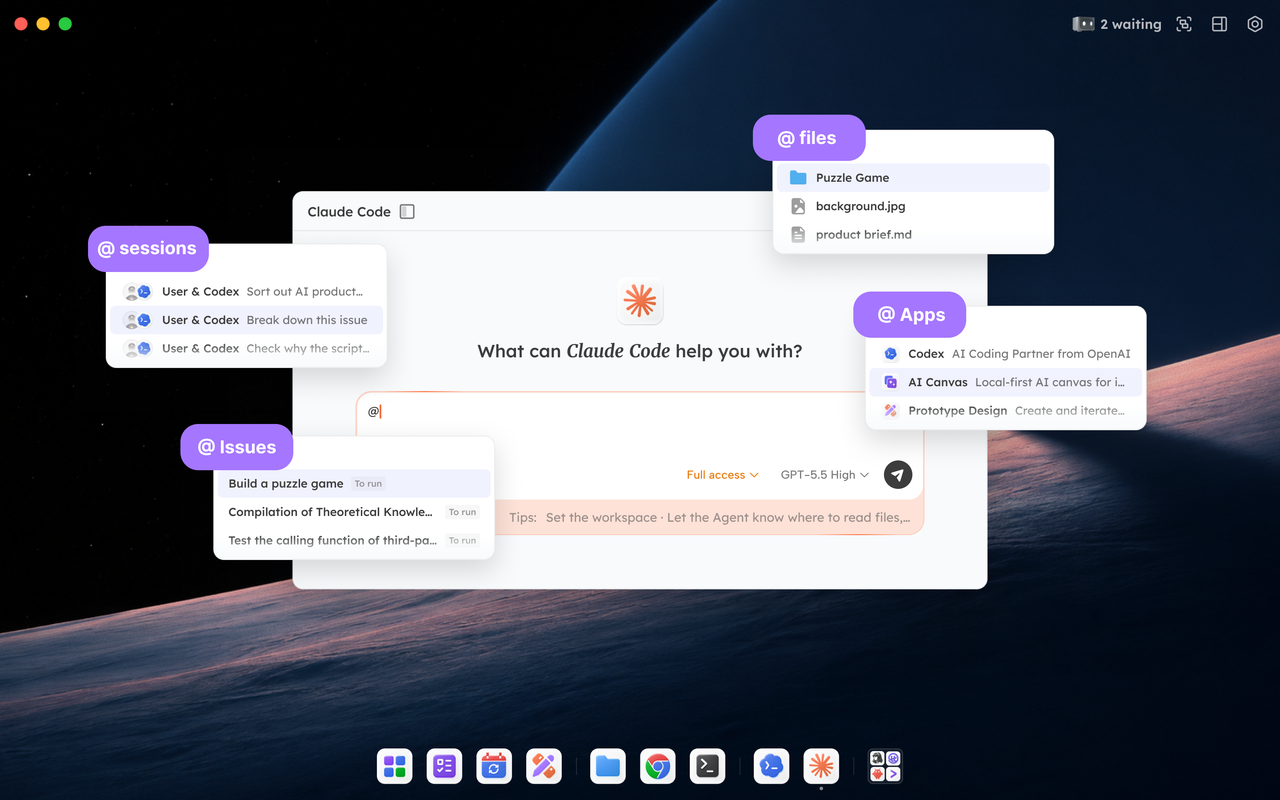
In Tutti, handoff is a single action: @.
You can @ anything directly in the chat box: an unfinished conversation, a long document, a specific app in the marketplace, or a half-finished task in the task center. Anything you @ becomes part of the current conversation as its "context layer." No downloading or uploading. No copy-paste. No need to re-explain why something was changed earlier.
The scope of @ expands outward in layers.
Layer 1: You and Your Agents
The closest layer is your own assets.
In Claude Code, @ a local file and it is immediately readable. @ a past conversation that becomes relevant again and its context is instantly brought back into the present, without relying on memory.
Apps work the same way.
You are working on a landing page and need an image. You @ an image-generation app in Codex and ask it to create images. You select the result and @ it back into Codex to place it into the page.
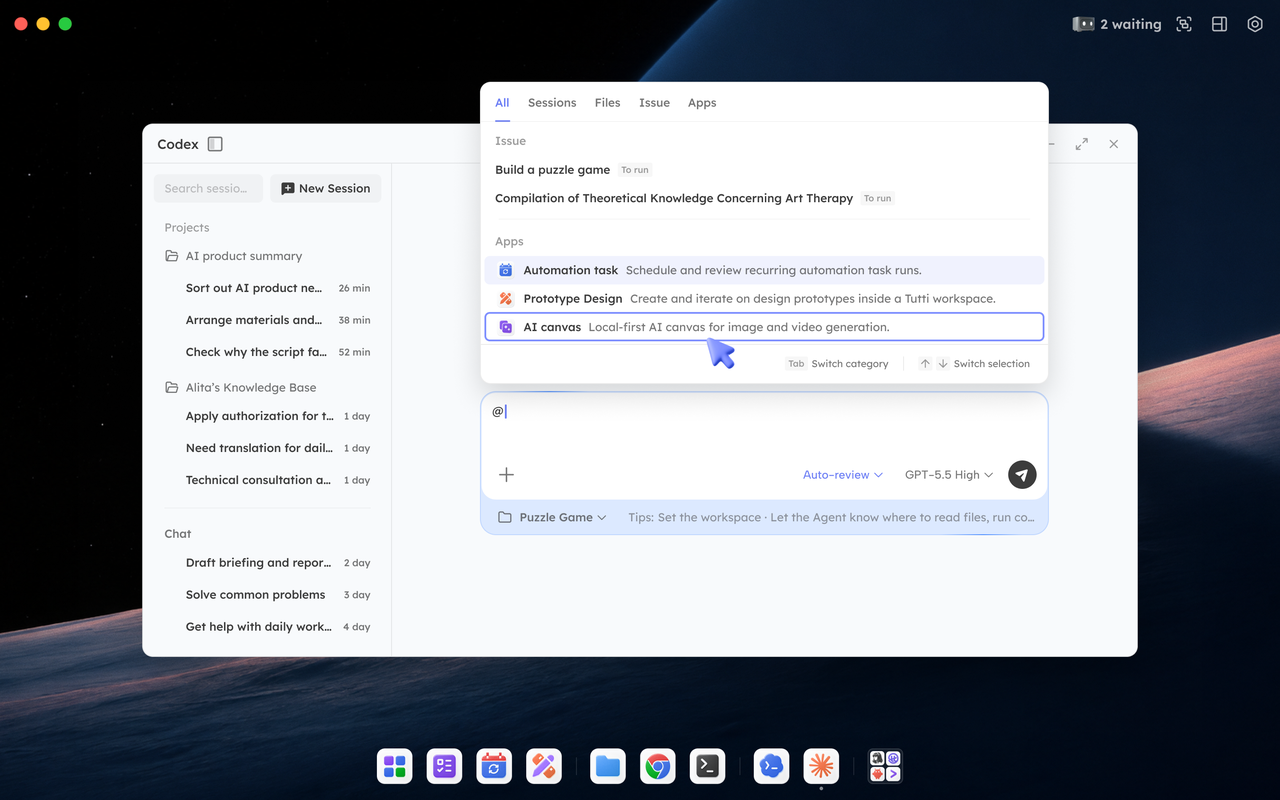
Writing, image generation, and coding all stay within the same conversation, without leaving the window.
Layer 2: Between Your Agents
One layer out, @ goes beyond a single Agent.
Claude finishes a backend API. You switch to Codex, @ that conversation and its API documentation, and say: "Build the frontend based on these APIs." Field definitions, logic, and design decisions are all visible to Codex in real time. There is no need to re-explain anything.
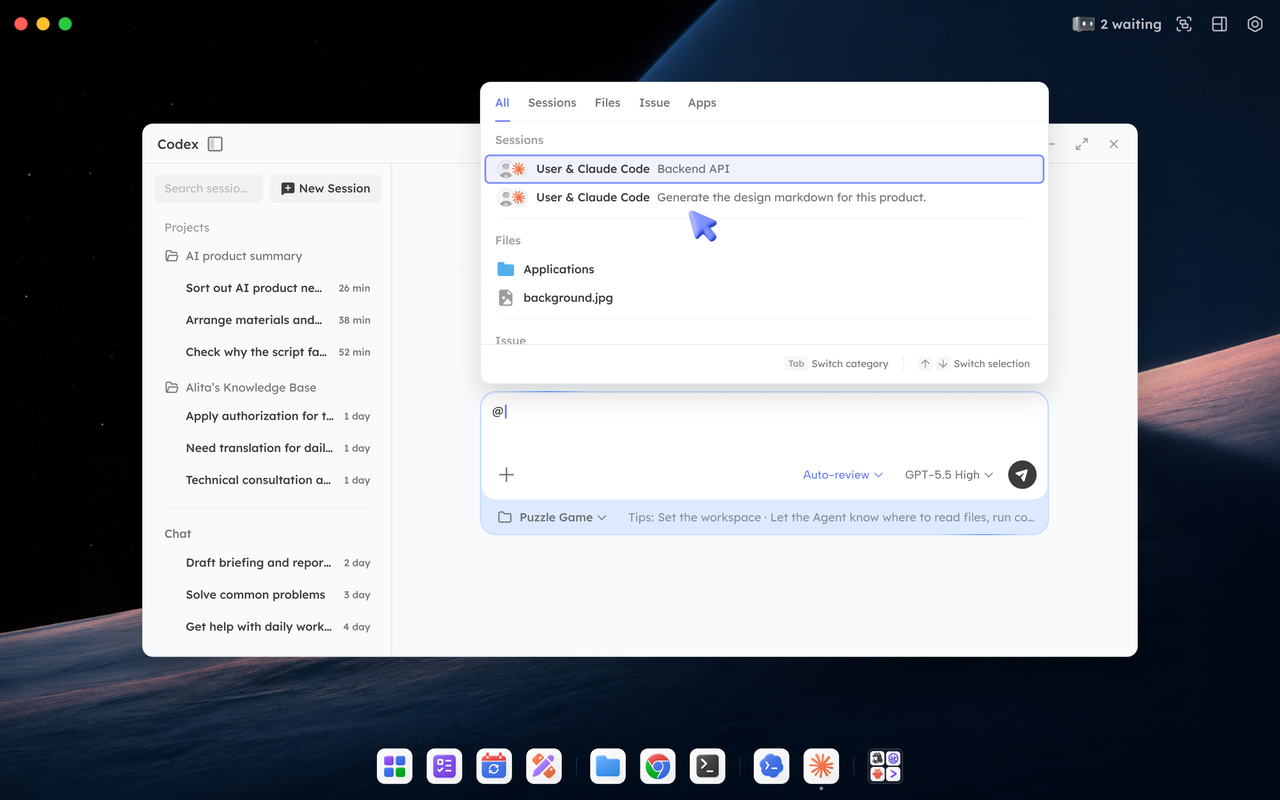
@ can go further.
It also removes passive waiting. While Codex is working on a refactor, you can @ Claude Code in the same flow and say: "Please add tests for utils."
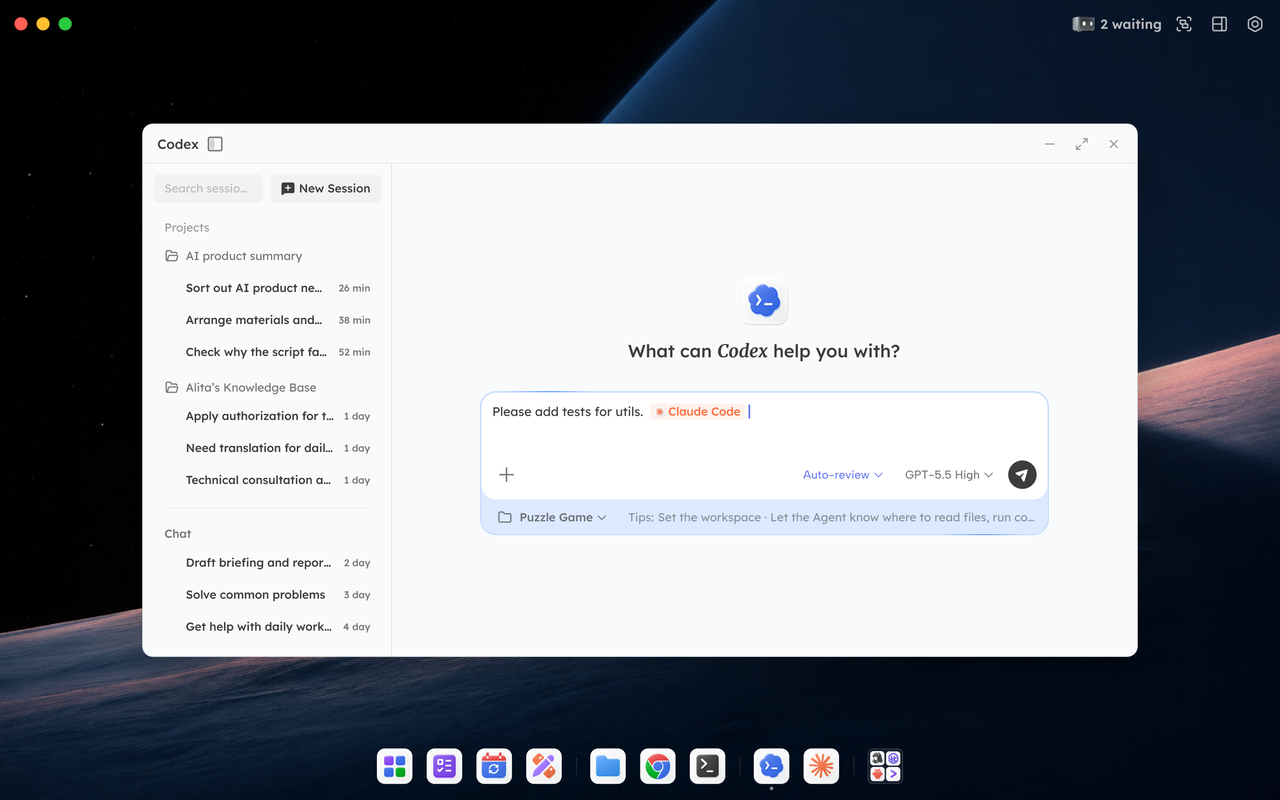
Two tasks run in parallel with a single instruction.
Layer 3: In the Cloud, @ Goes Beyond People
The outermost layer is the cloud.
When you and your teammates enter the same real-time shared Room, @ expands from "you and your own Agents" to multiple people and their Agents.
A teammate pushed half of a feature last night. In the morning, you can pick it up without asking them to come online or send anything. You @ their conversation with their Agent and the files they modified, and continue directly from there.
If you have unfinished work or limited subscription capacity, you can also @ a task and delegate it to their Agent through the task center.
Everything happens inside the same Room. The Room is the boundary. Whoever is inside can see.
What Does @ Connect?
Across these three layers, @ connects a network of relationships: you and your Agents, Agents with other Agents, and you with teammates and their Agents.
One action turns Agents from isolated silos into a connected, multi-user, multi-Agent system.
As for which problems it solves for you, try @ once and it becomes clear.